Saratoga 2013
Celebrating the birthday of sister Joan
Test of Embedding Vine
Easy to do this by going to New Post and selecting . . . video. Also held iPhone vertical but turned volume off.
Test to Embed Vine
It worked. Make sure link is NOT hyperlinked (oh, and make sure camera is horizontal. I will keep this video as a reminder).
The Lule Ireland Trip 2013
Tableau and Coursesite
For my online classes, I encourage a great deal of participation through the online discussion board. Our university uses Moodle (Coursesite) and the boards are called Forums. I like to keep track of all student interactions. There are a lot of them. I was looking for a visual representation so I could see at a glance who was performing well and who was not. I found Tableau to be excellent.
Here is what I did: In Coursesite — Course>Reports>Logs
I have some choices here. I cannot do all Forums and don’t want all activities. I do Forum by Forum:
All Days>[Select Forum]>All Actions>Download in Excel>Get These Logs>Open w Excel>Save to Desktop
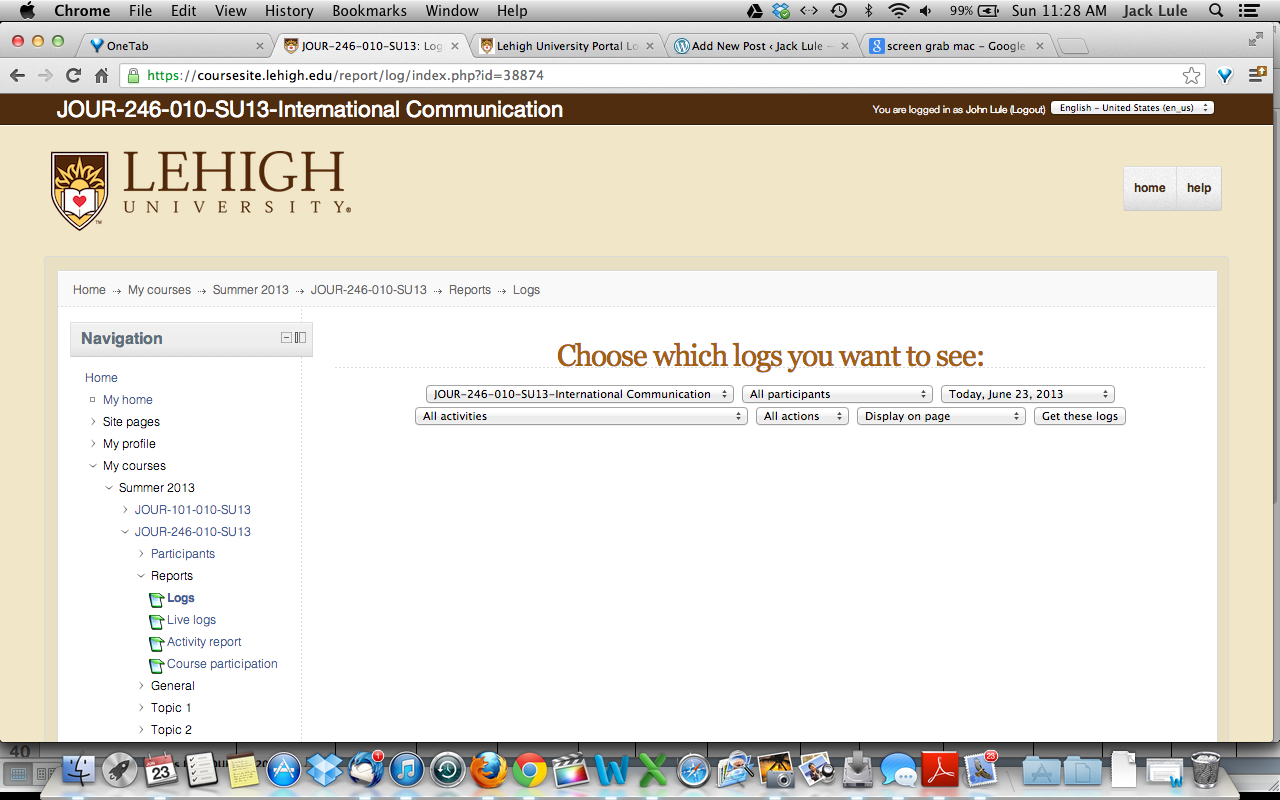
I fix the data so it can be read by Tableau: Put appropriate titles in First Row — Date, Name, Action (delete other unnecessary columns).
Open Tableau desktop. Open the Excel file in Tableau. Put Name in Column and then Day; in Row put Number of Records; on Show me, click on Bar Chart. I got a fine, fast visual representation of the Forum participation of each student.
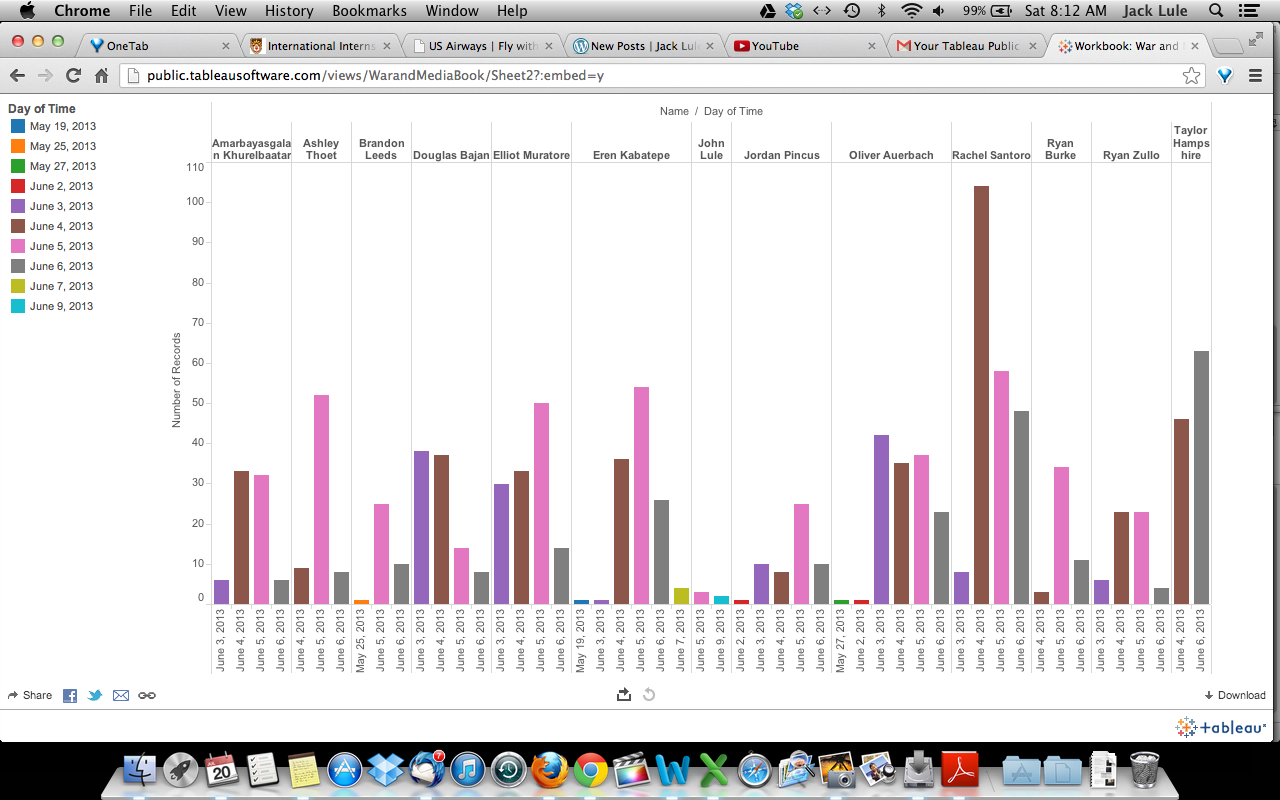
Ah, yes. You must do this on a PC. Tableau is not yet made for Mac.
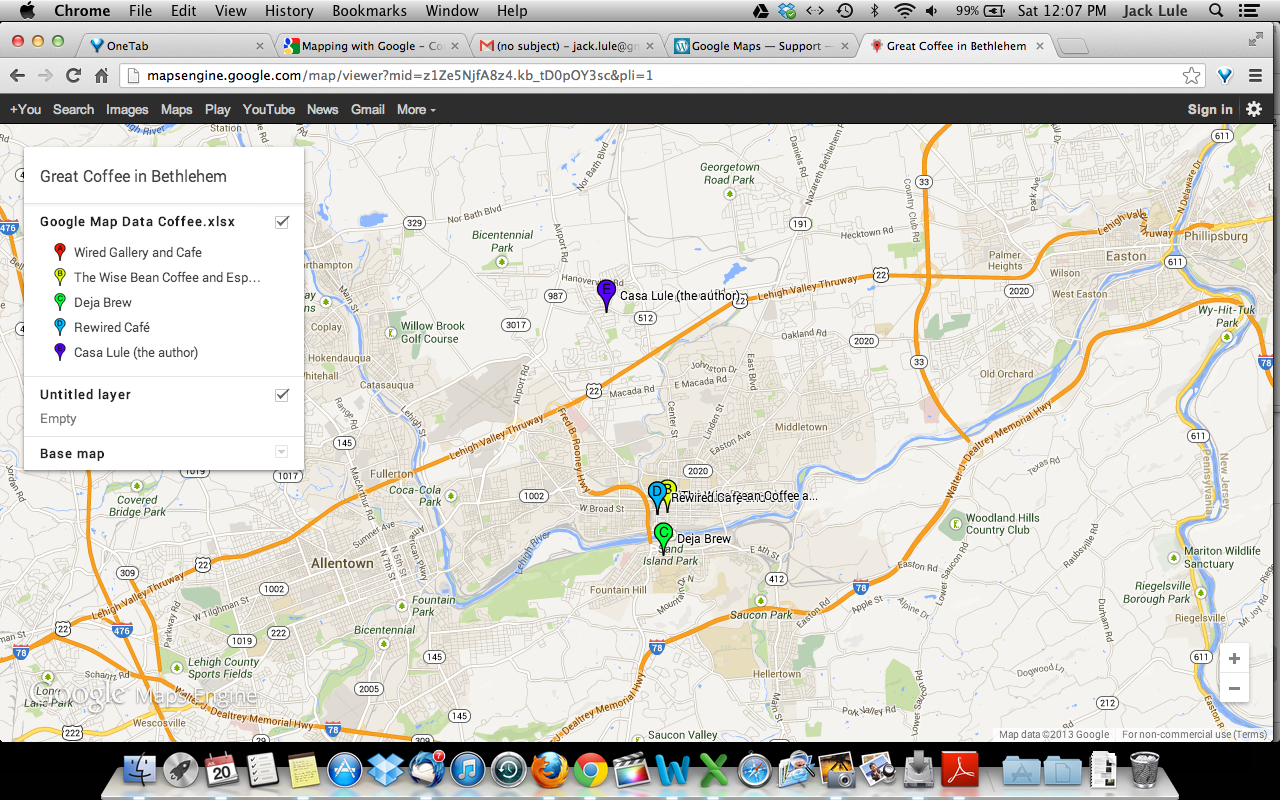
Great Coffee in Bethlehem for Google Map Certificate
Happy Father’s Day at St. Anthony’s Festival in Wilmington, DE
Course Animation
I was able to embed this animation in my Media, Sports and Society class on Coursesite.
An experiment with Jing screen capture
The Lehigh and Technology Services people introduced me to a free screen capture program: Jing. I wanted to see if the screen capture could be embedded in a blog. And it can!

 Jack Lule